Evolution of customer experience with a Focus on Accessibility
This is a task that was given to me to do in a couple of days to showcase how to improve the design while thinking about accessibility options for all types of users.
The Requirement
Please redesign a fresh look for the DEWA website homepage using the link provided, while ensuring it aligns with the latest UI trends and maintains accessibility considerations. https://www.dewa.gov.ae/
I have worked on this task in three Parts:-
PART 1: Research on user problems and Heuristic Evaluation
PART 2: Competitive Analysis, Ideation, and accessibility improvement
PART 3: User interface designs
“First of all, I want to say that the homepage design is really good, clean, and well-aligned, I had to really explore how to improve a very good page”
To make the redesign user-centered and give good results, it has to be based on solving user problems or having business goals to achieve, I have sent some questions to be answered to make a solution that addresses user problems since no data has been shared with me for now, I had to discover user problems and evaluate the experience of the current design.
In my opinion, creating a new and improved experience involves a process, to create a design that is closely aligned with the existing one. Based on my experience, many users fear change unless it genuinely addresses their concerns or enhances their experience.
Current view
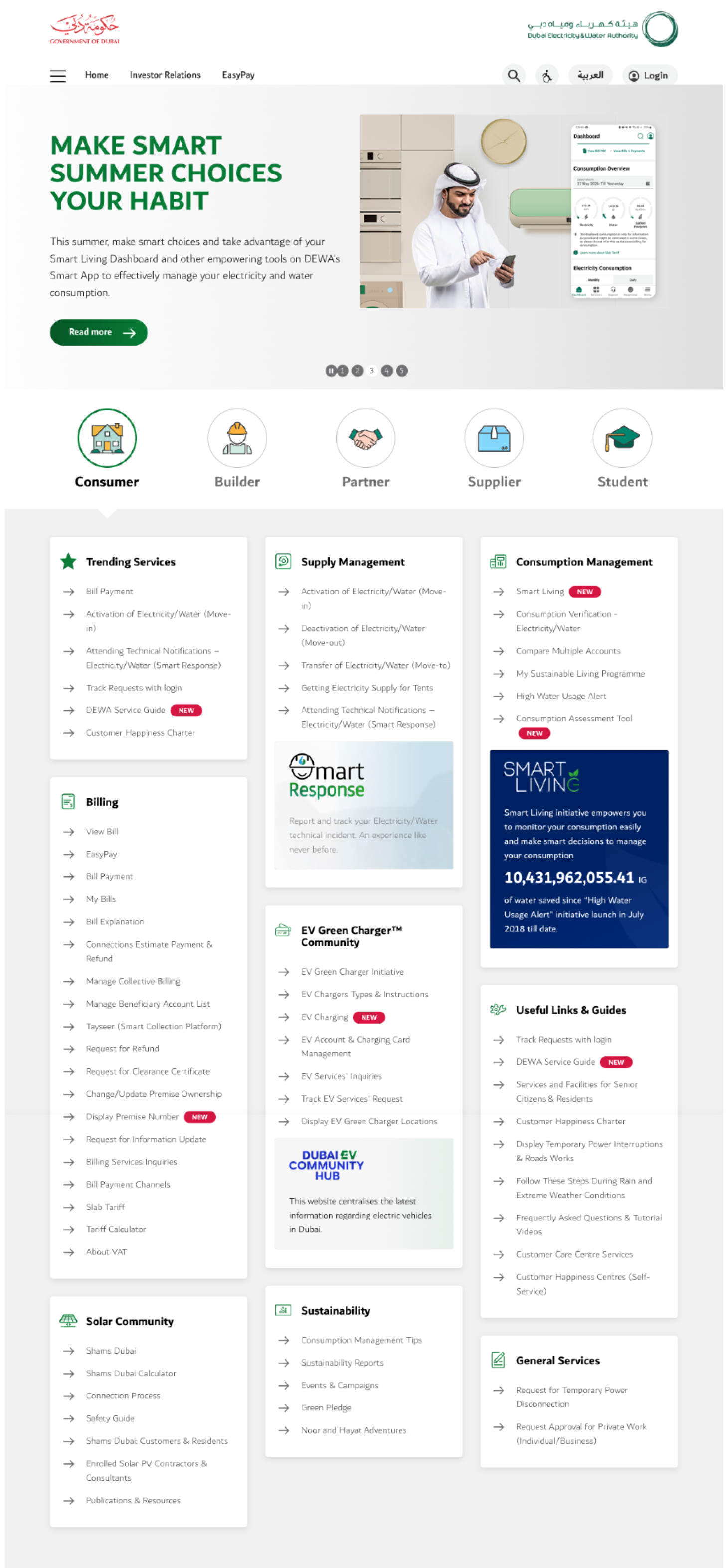
PART 1: Research and Heuristic Evaluation
Trustpilot reviews

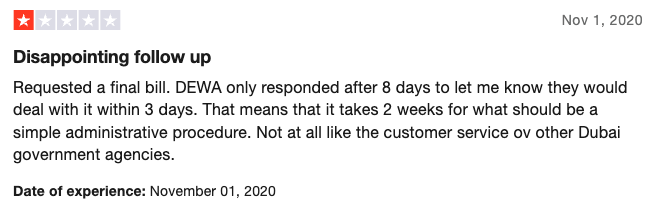
These are some samples from the Trustpilot website, which you can view here
The summary of most of these reviews is on reporting refunding problems and not following up.
Heuristic Evaluation & UX Laws
Error prevention
There are multiple ways to submit a problem or give suggestions and contact us provided on the website, These 4 buttons share similar ways to either offer a problem, or idea or look for an answer, As a user I might struggle with which button is the right button to choose.

I think having fewer calls to action to report and chat with user support even just through RAMMAS would be better, this is According to Hick’s law “ the time it takes for a person to decide as a result of the possible choices: increasing the number of choices will increase the decision time logarithmically”

Also, these two buttons are doing the same thing, which I think is a bit confusing
Help and Documentation
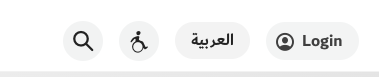
I think the wheelchair icon is not giving the correct information regarding changing the view settings and accessibility options, as a user I thought this button was just for people with wheelchairs.
Also, I think it would be nice if a search by voice is added inside or beside the type field which can enhance the experience more and give more accessibility to users
PART 2: Competitive Analysis and Ideation
Competitive Analysis
I searched for competitors and similar websites and analyzed their behavior on the first fold to identify their strengths and weaknesses, Found most of these websites gave a quick shortcut to the popular services and highlighted them in the first fold.
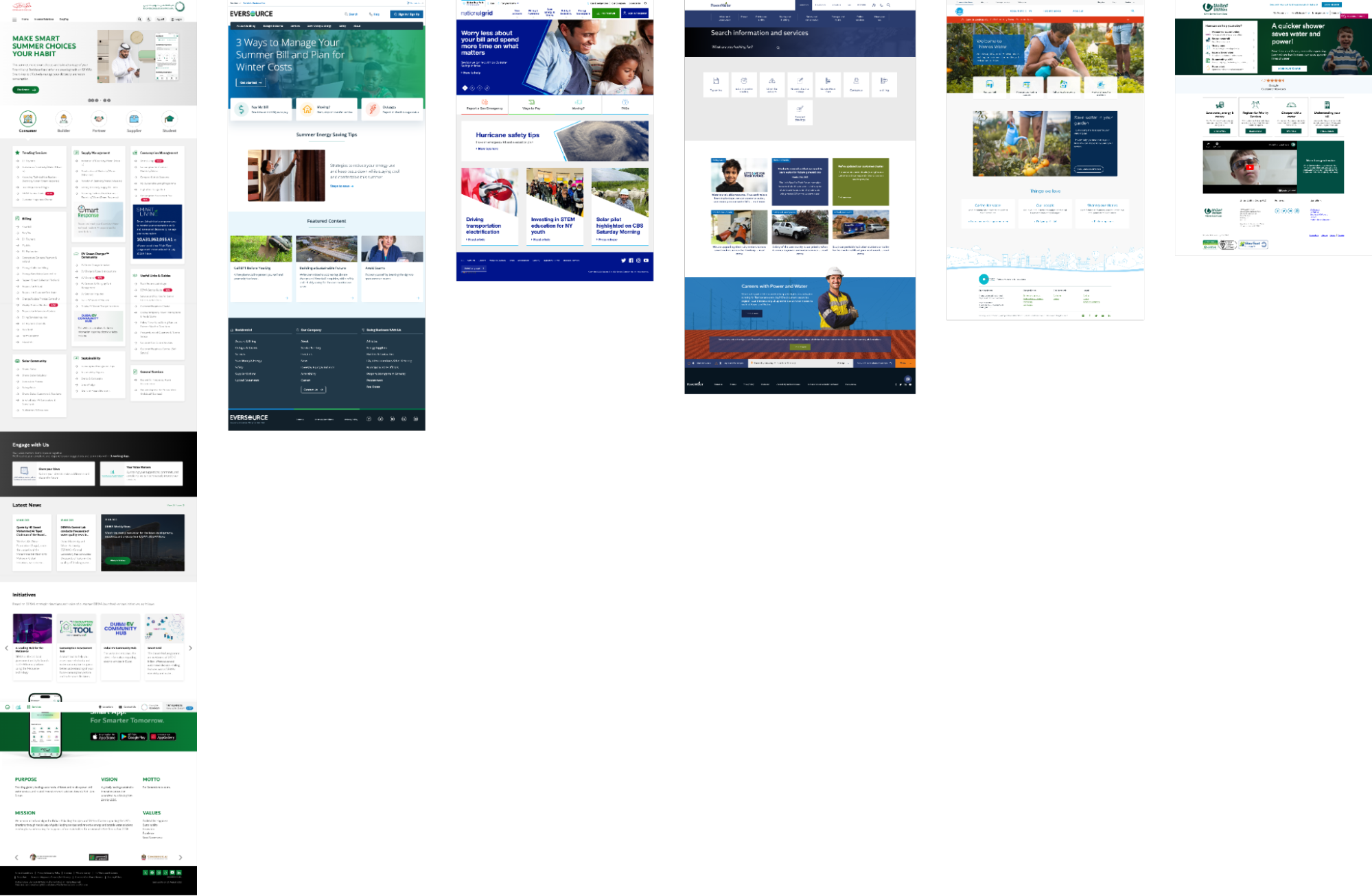
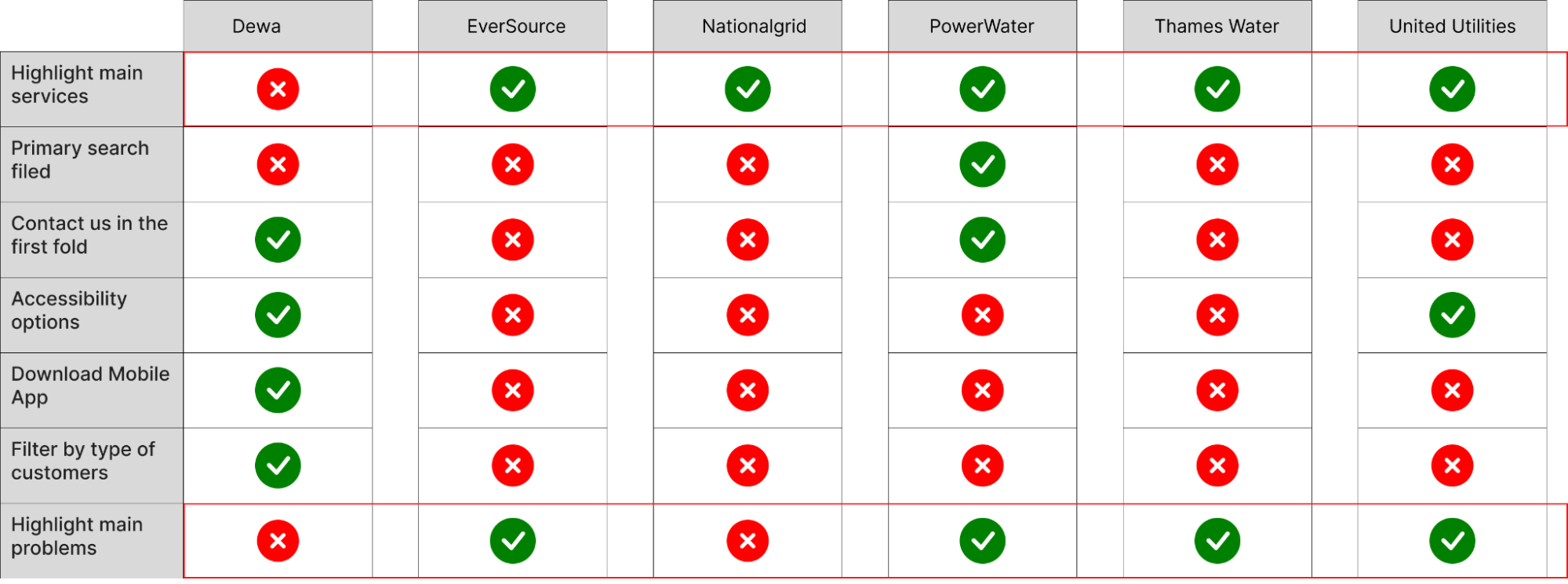
The websites are:-
Ever source, National Grid, PowerWater, Thames Water, United Utilities
User Stories
Based on the research that I did combined with some hypotheses that can be validated with 3 to 5 user interviews and collecting quantitative data from UX analytics applications, I have created some user stories to address the users’ problems.
As a user, I want to find the services I am looking for quickly and easily.
As a user, I want to report my problems to user support and find a follow-up.
As a user, I want to change the viewing and reading options for my accessibility quickly.
Ideation and empathize
Adding a main search bar combined with search by voice makes it easy for users to pronounce the word and generate results and this also improves accessibility for users and can be used on any device.
Reporting problems with a voice message is a quick and easy way to describe an issue, Sometimes the users just want someone to listen to them, and replying also with a voice message might make the user feel heard.
Displaying the most trends services directly in the first website section.
Designing the look and feel of the website in a minimalist way.
Design with people with disabilities in mind, having multi-contrast switches,
Adding a text magnifier, adding a text description to any unclear icon.
Adding a text description to any unclear icon.
(I have added some of these options to the UI design, and some will be added after discussing with the Data team )
Accessibility Improvement
There are many ways to add Accessibility, I think the website provides excellent options, I have seen many options already present, and I thought about how to bring this even further,
I have worked on:-
1. The accessibility icon is not the known icon used for Accessibility, in the user's mental model, I replaced it with the known icon and added a text label beside it.
2. Adding a shortcut button to switch site contrast directly inside the homepage, I think most users need an indication to know that this website is providing accessibility options, by providing at least one option, the users will know and if they want more they can click on the full accessibility button.

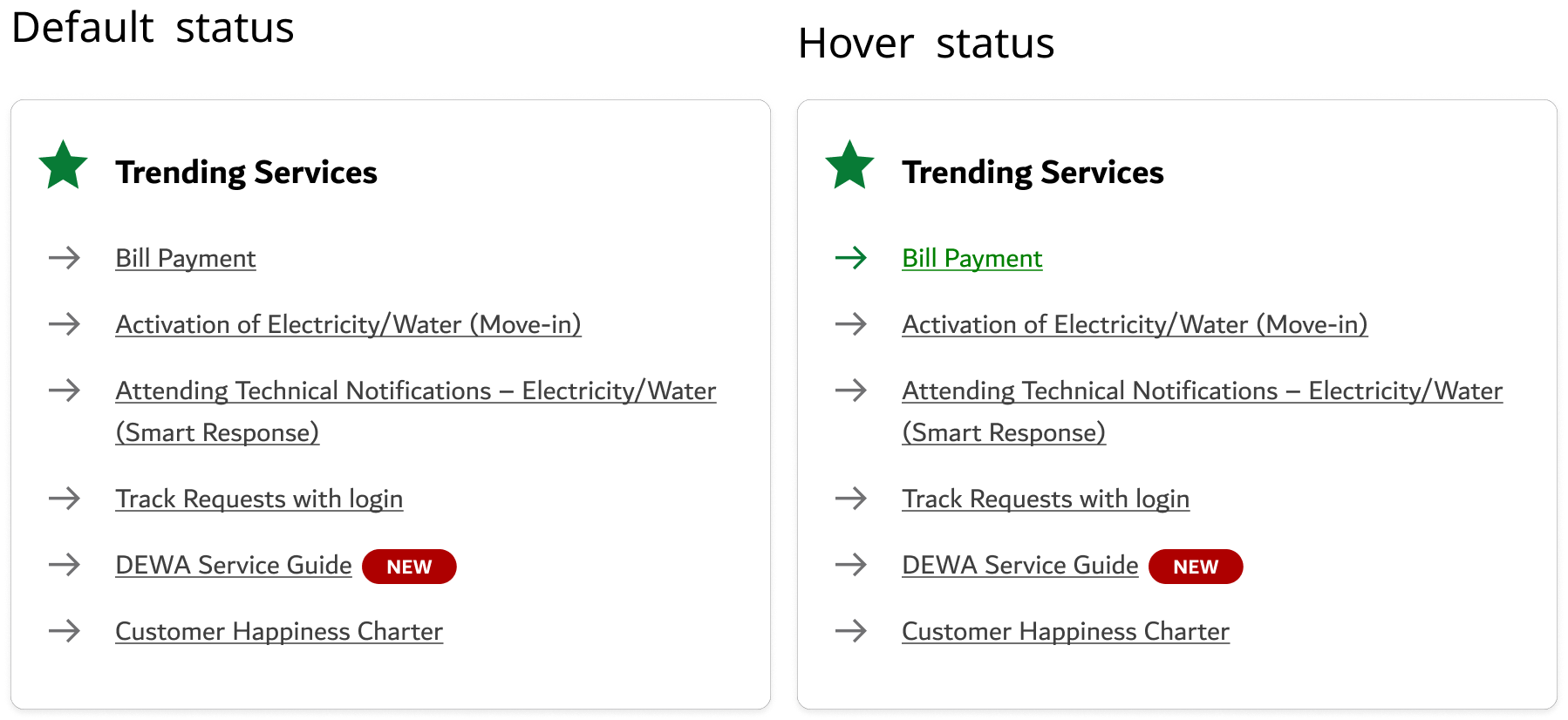
3. Adding underlining to each of the list items since all of these items are links, providing underlining before hovering on any of them will give the user the indication that these are links and I should hover on them and click.
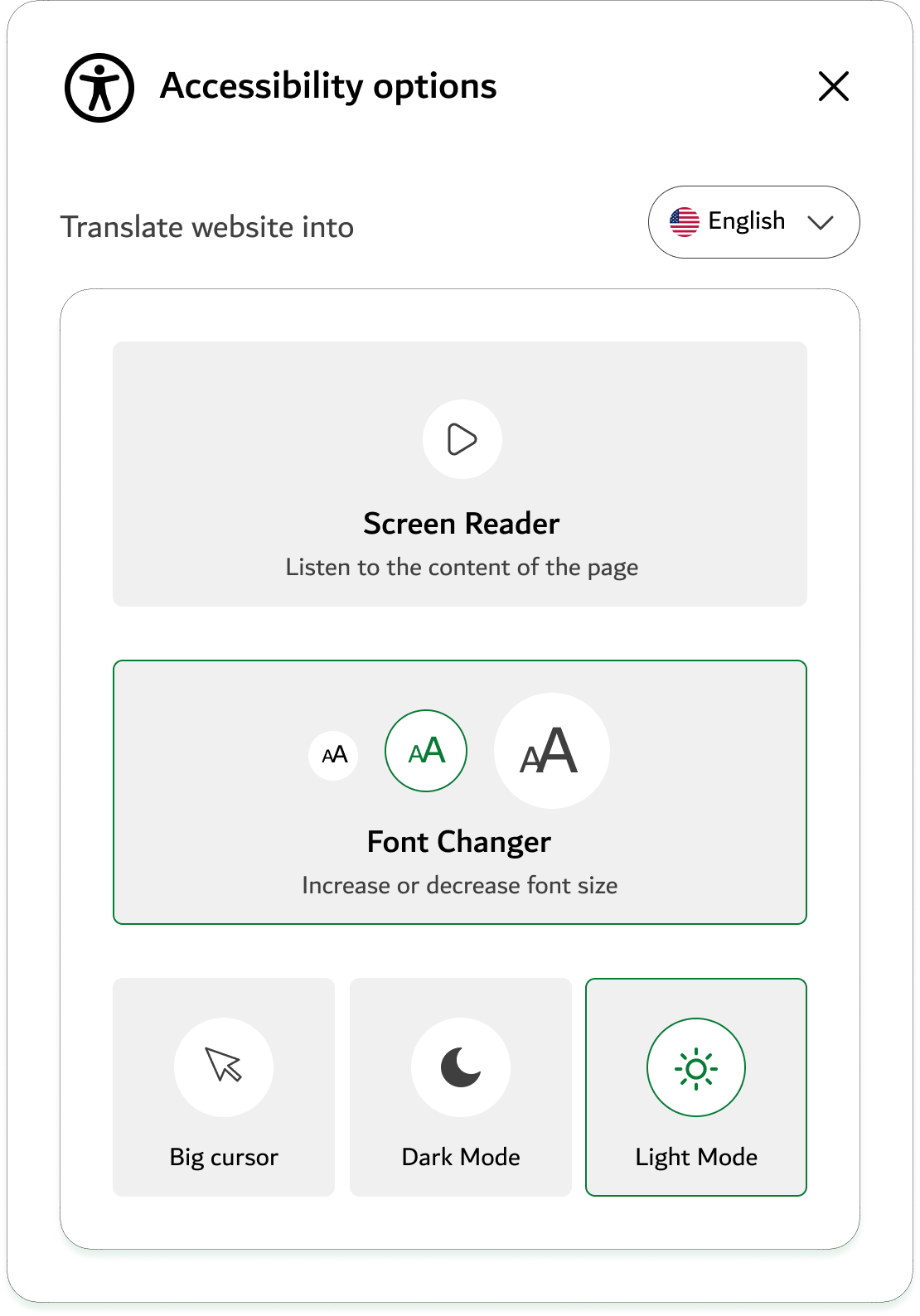
4. Adding Accessibility options:-
Auto-translating website into different languages.
Screen reader
Increase or decrease the font size.
Increase cursor size for people who can’t see well.
Choosing dark mode for bright sensitivity or light mode.
UI Designs
Default View

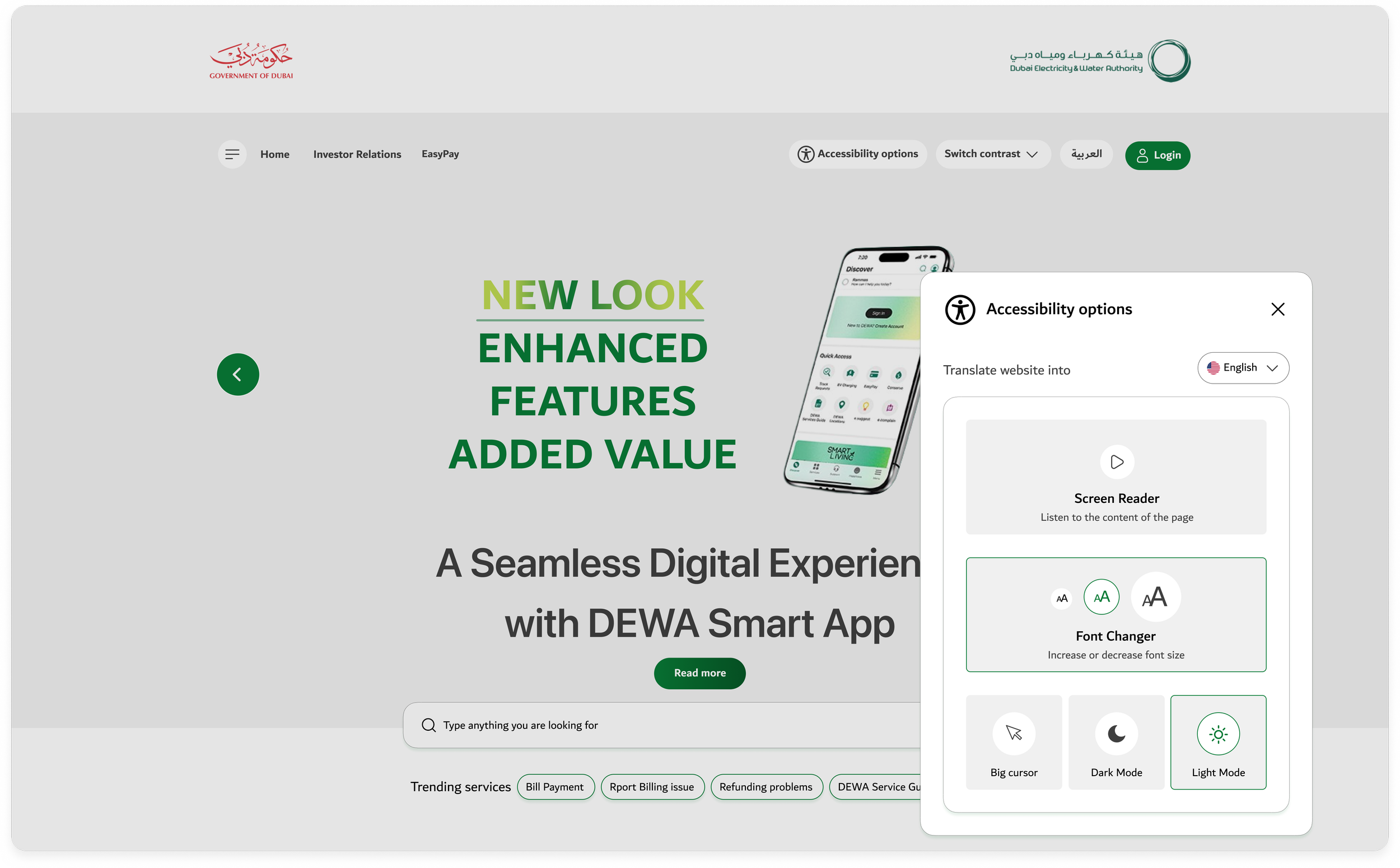
Colorblind view
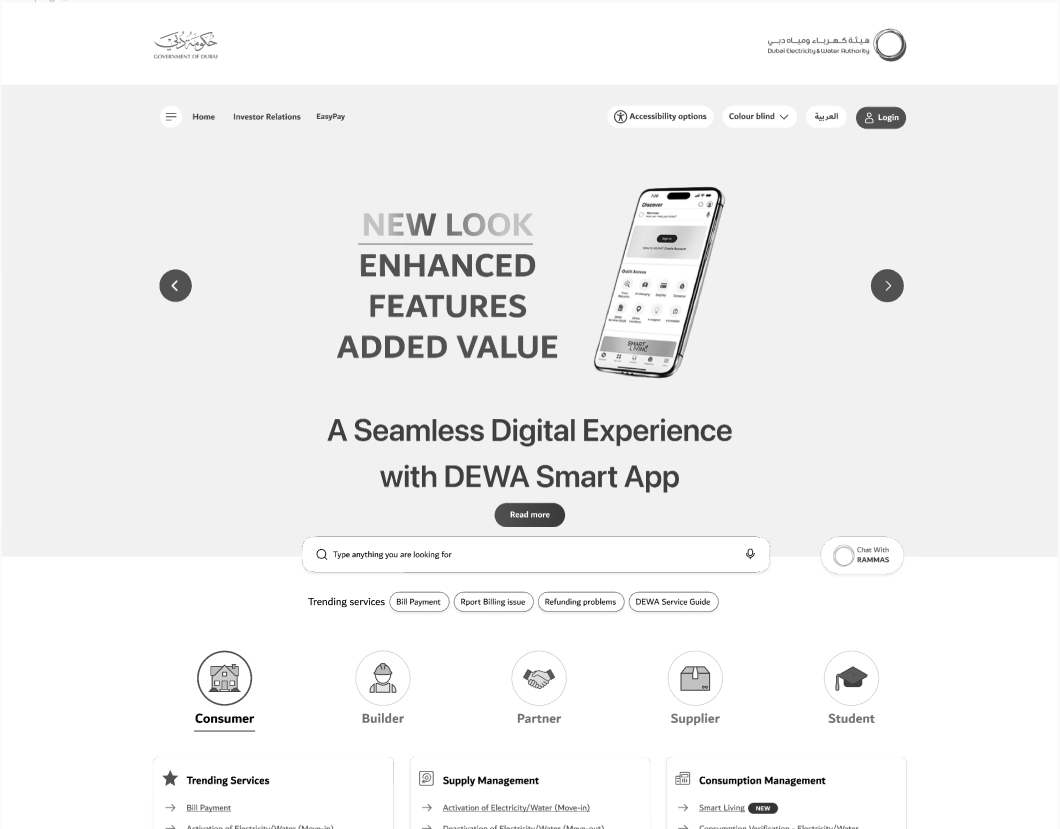
Conclusion and moving forward
In this article, I have outlined my design process and suggestions for improvement from a user's perspective.
I hope that I have provided you with an understanding of my thinking and design process.
Please note that this work that I have shared with you is only a part of my full work process and I focused mostly on the first part of the page.
We can later work on:-
Interviewing some users from different categories, and getting their feedback on the current design and the ideas that we have.
Monitoring how the current view is doing from Hotjar or Google Analytics. And understanding the data.
Defining clear goals for redesign and collecting all the user's pain points that we already know.
Explore accessibility options with people with disablities and view their reactions to the new design.